iPhone app · Version 1.0.4 · On the App Store since September 2026
Eisenhour
Eisenhower matrix, by the hour. Most to-do apps make lists; Eisenhour makes decisions, then turns them into hours on a real calendar and shows you where your life actually goes.
Watch it first
A 35-second tour
See the whole app move
The tour walks the Matrix, Calendar, Focus, Areas and My cards with an invented person’s data. The site behind it also has six step-by-step guides with real screenshots, from sorting your first task to sharing a business card, and a public board where anyone can post an idea or a bug.
§ 01 — What it does
The method
Decide, then block the time
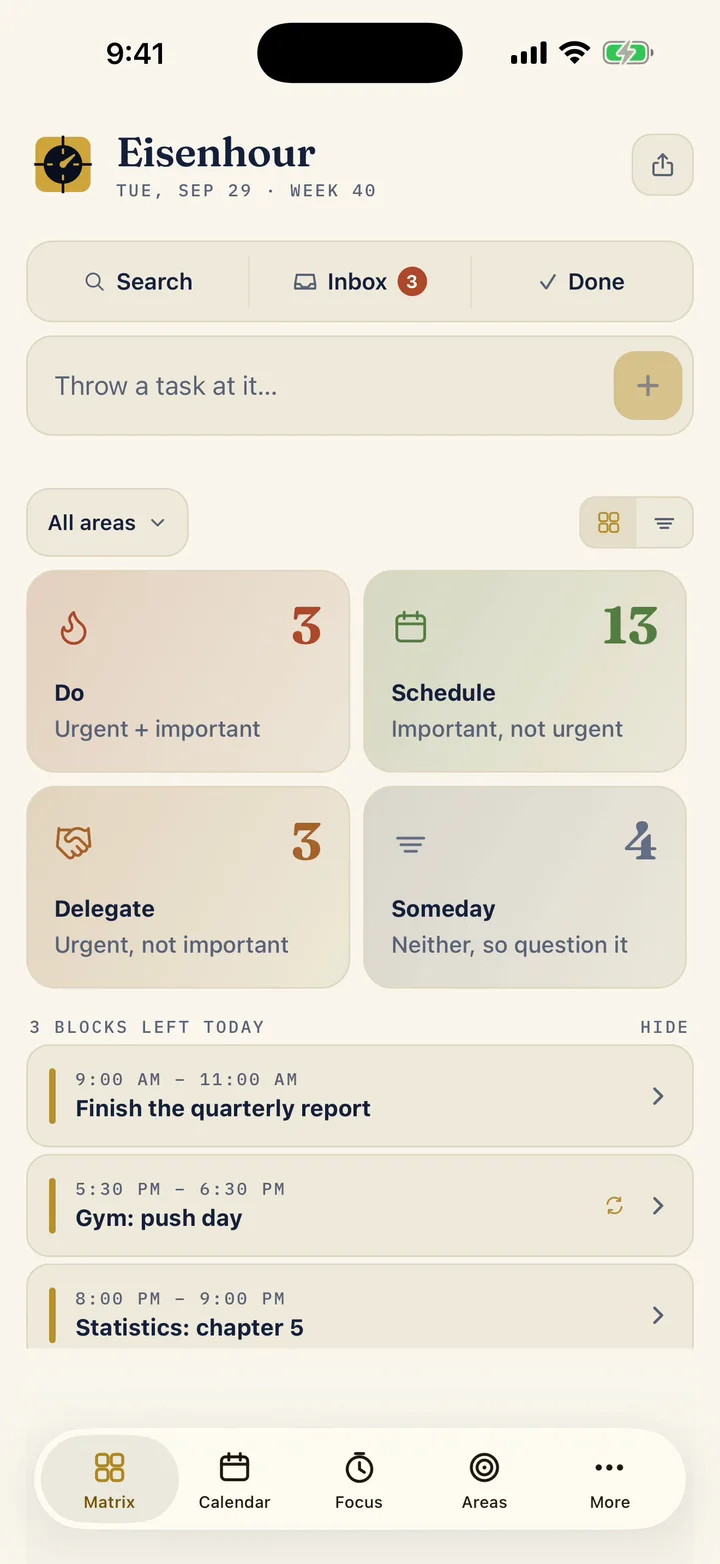
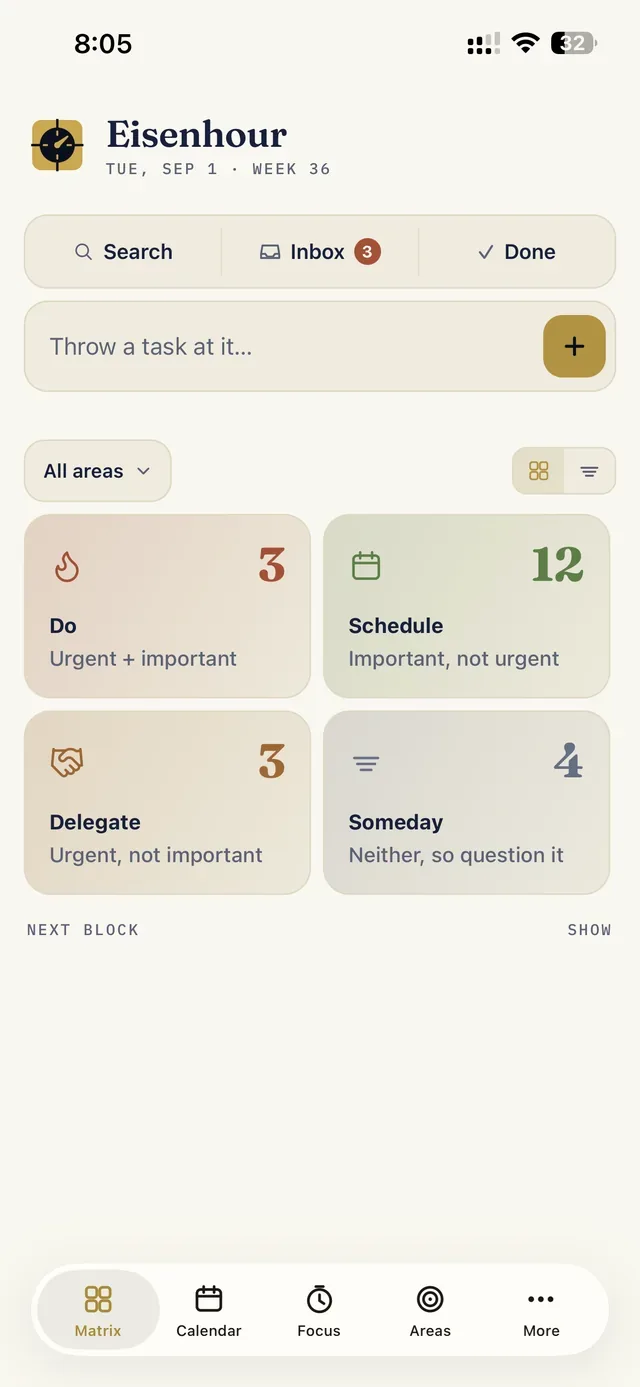
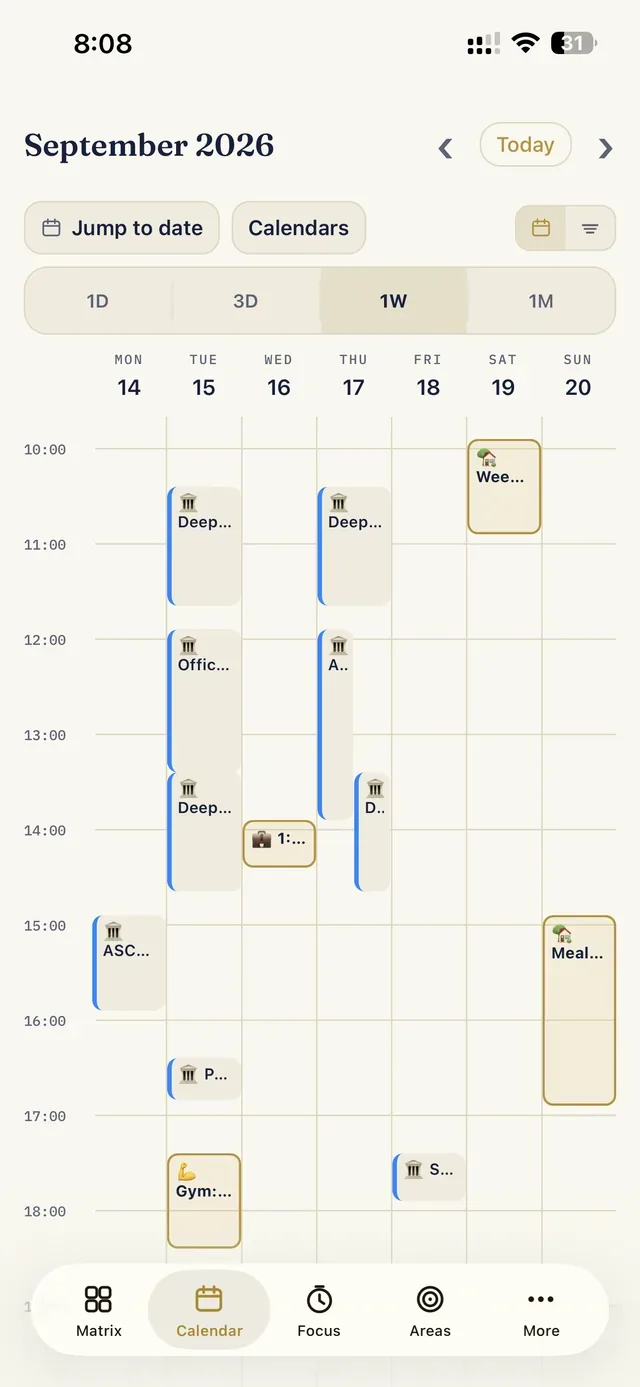
Two questions sort everything: is it important, and is it urgent? Every task lands in one of four quadrants: do it now, schedule it, delegate it, or question it. Then the app does what matrix apps never do: it gives the decision a place on your day, in fifteen-minute blocks, beside the Google, work and iCloud calendars already on your phone.
A focus timer logs every session and rings on a locked phone; a year-long heatmap shows where the hours went. Life areas carry weekly targets and streaks, so work stops quietly winning. And a business card you can share as an image or a PDF with tappable links.
The stance
Yours alone
Local-first by design. Everything lives in a database on the phone and rides the normal iCloud backup. No account, no server, no analytics. The App Store privacy label reads “Data Not Collected” because there is nothing to collect.
The method is free forever. One purchase, Eisenhour Pro, unlocks planning any day, unlimited areas and cards, the full year of focus history, reports, export and import, copying a block out to a real calendar, and the dark theme. No subscription. New users can try all of Pro free for seven days first, with nothing to cancel. Guides and a public feedback board live on eisenhour.app.
§ 02 — Screens, from the shipping app
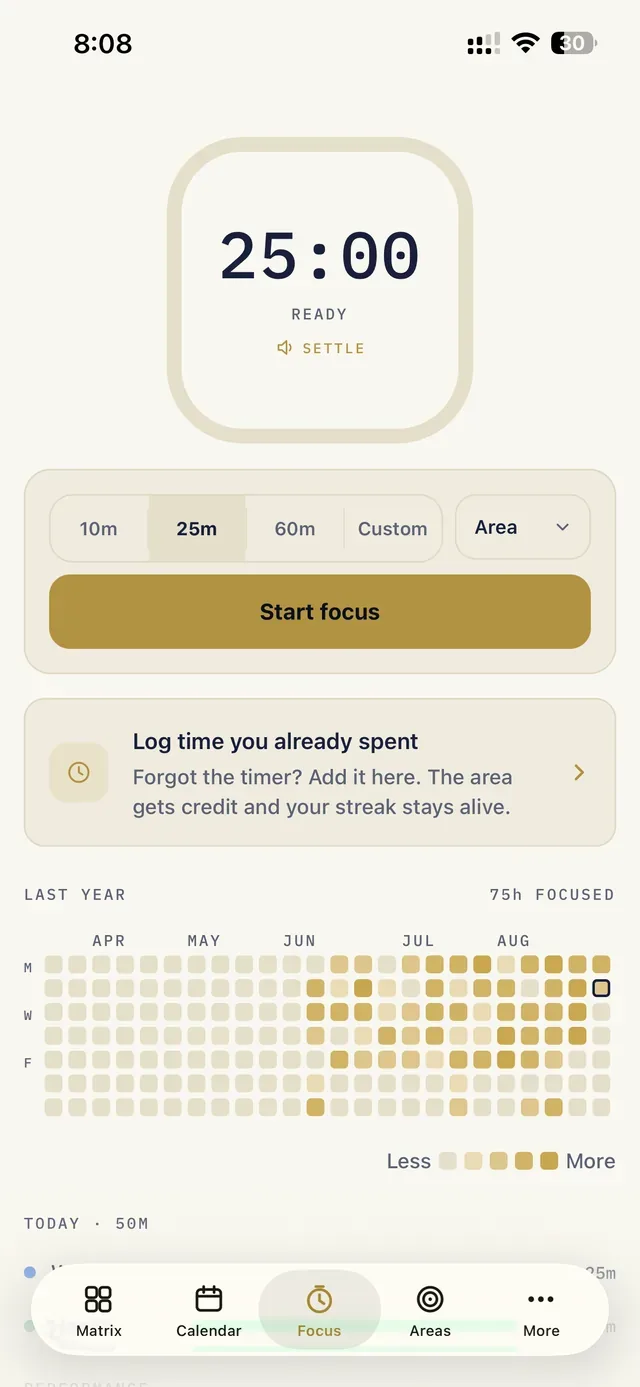
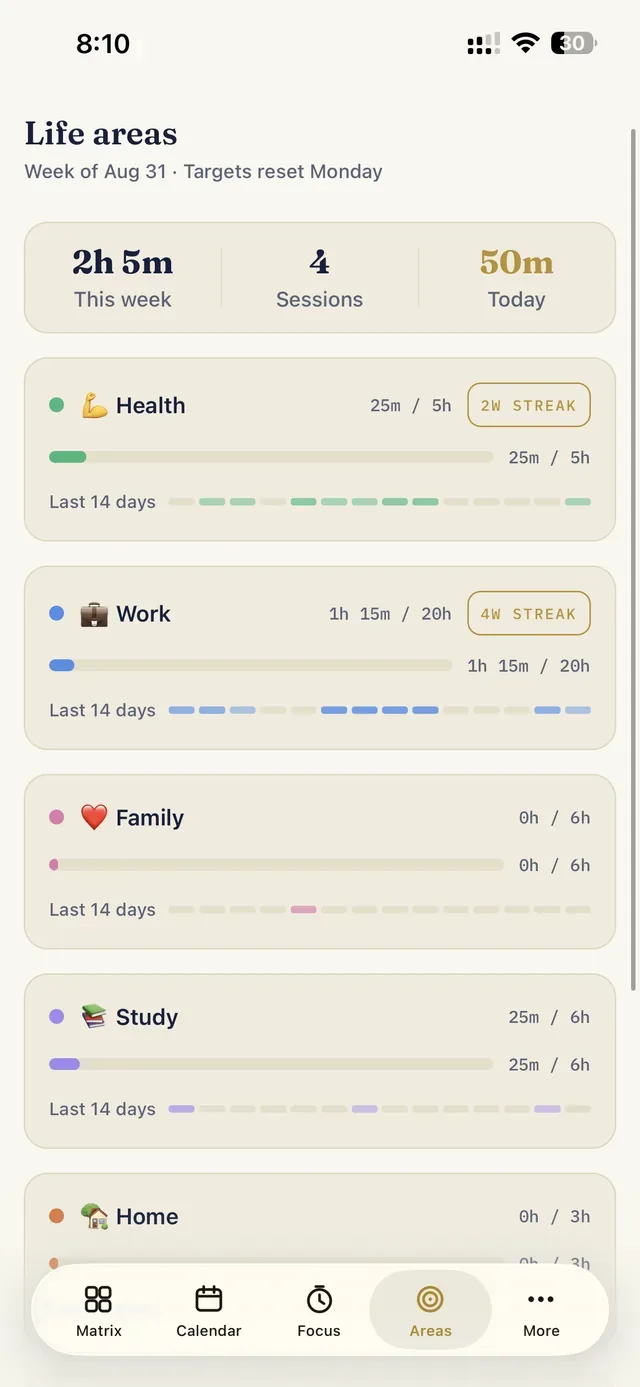
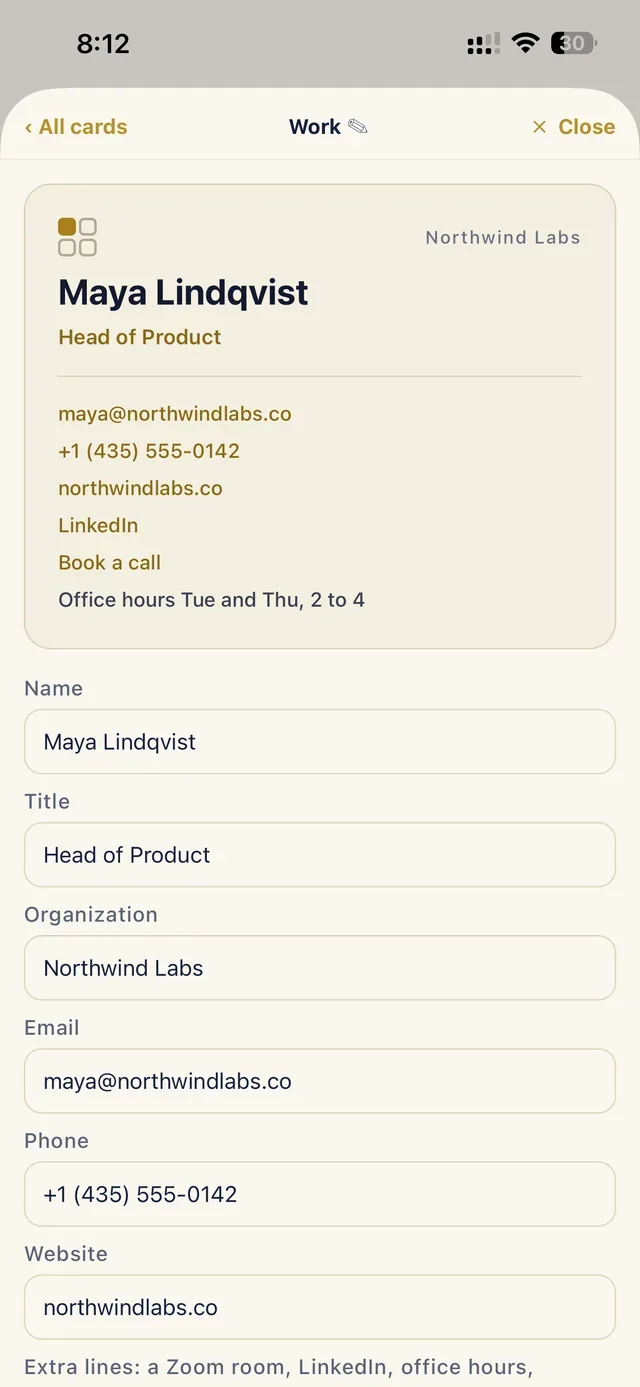
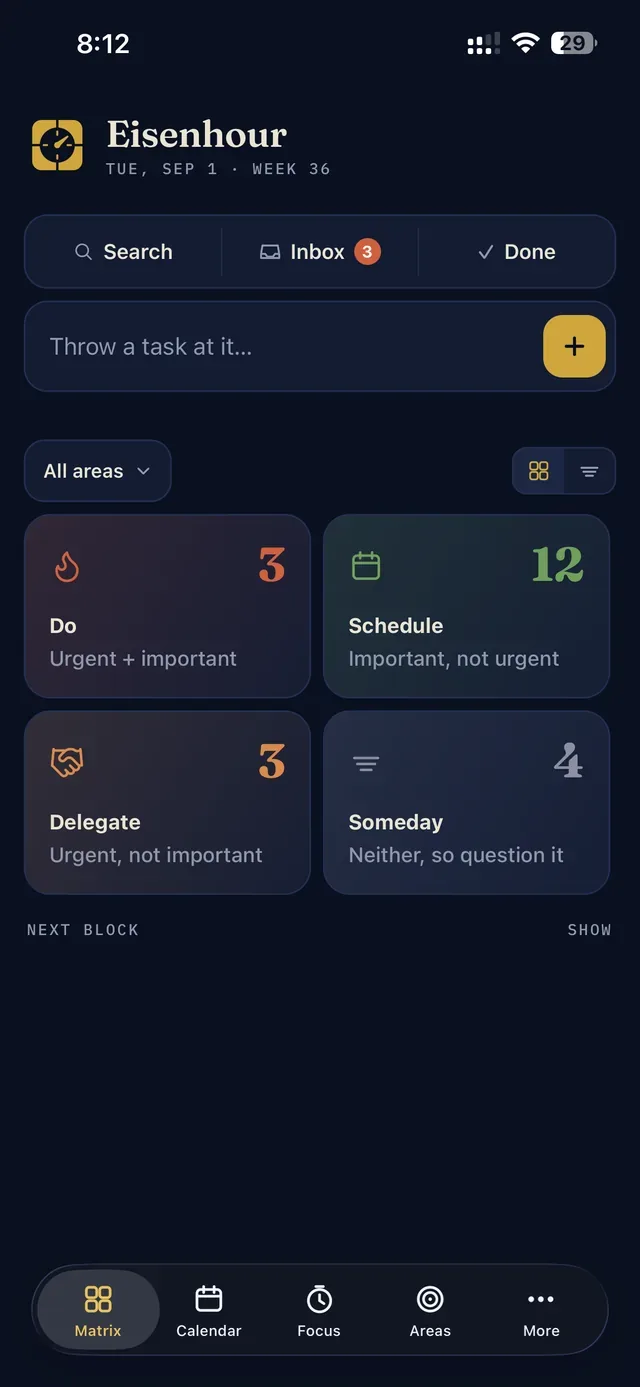
§ 03 — How it was built
Fifteen days from plan to App Store, one developer, one AI pair
From a private planner to the App Store
Eisenhour grew out of a planner I had run my own working life on for years, first as a web app with a server. The app version keeps the method and drops the server: SQLite on the device, iOS itself as the calendar sync layer, StoreKit for the one purchase. Built with Expo and React Native so a single person could ship a real native iPhone app, first from a Windows machine and then from a Mac, with Claude Code as the pair. Submitted on 2 September 2026, approved on the 6th, released on the 7th; version 1.0.1 followed the same morning, carrying a 38-bug sweep of the whole codebase and a weekend of fixes that came from using the app on a real phone. Version 1.0.2 came three days later, on the 10th: block reminders, an import that shows what it would change and can merge instead of replace, and the small things a week of real use asked for. Version 1.0.3 added a new first run that sorts your first task as you watch, a free seven-day trial of Pro, Larger Text that fits every screen, and the fixes from two full reviews of the code. It went live on 29 September. Version 1.0.4, on 12 October, added a Notes field on every task, a status filter on the matrix, a way to delete logged time, and a set of Merge and emoji fixes found in a full review of the code. The product site, eisenhour.app, is a static site on Cloudflare in the app’s own palette. It has a running What’s new page, a 35-second tour, six step-by-step guides, a public feedback board on a small Worker, and a roadmap shaped by seven thousand App Store reviews of planner apps.
§ 04 · Try it
Free to start, one purchase if you keep it
Everything else is on eisenhour.app
The tour, the guides, the feedback board, the version history and the roadmap all live on the product site. If you plan your day on an iPhone, start there.