
Desktop app · Windows & Mac · Version 0.2.8 · Coming soon
Cashington
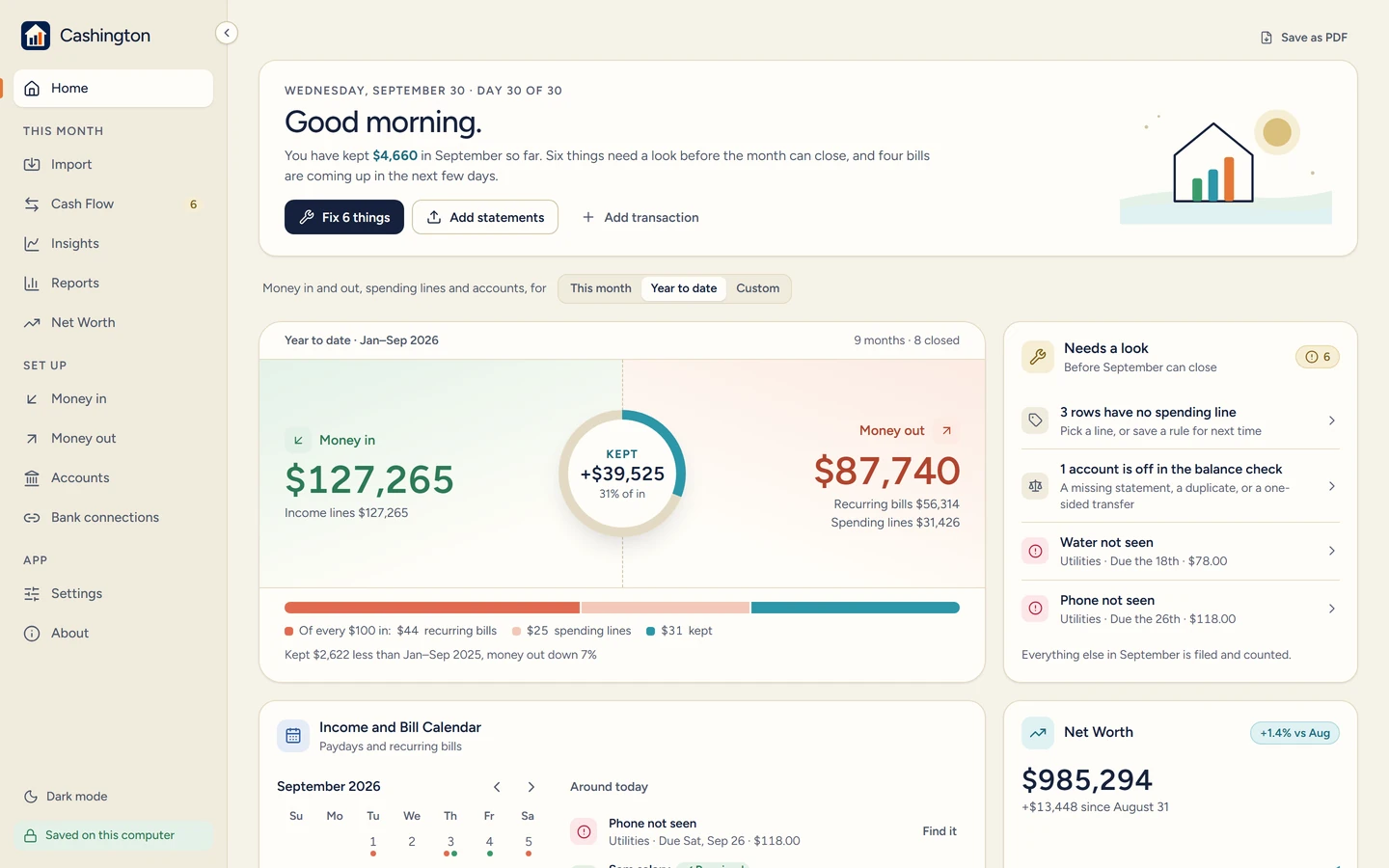
Know where every dollar went. A household ledger that lives on your own computer: bring in your bank and card statements, file every row once with simple rules, and see each month’s cash flow, where the money comes from and goes, and your net worth over time.
Watch it first
A 90-second tour
See every page move
The tour walks the whole app, Home to Dark mode, with an invented family’s two years of books. The site behind it also has step-by-step guides with real screenshots, from setting up your first account to closing a month, and a public board where anyone can post an idea or a bug.
§ 01 — What it does
The method
File it once, see the month
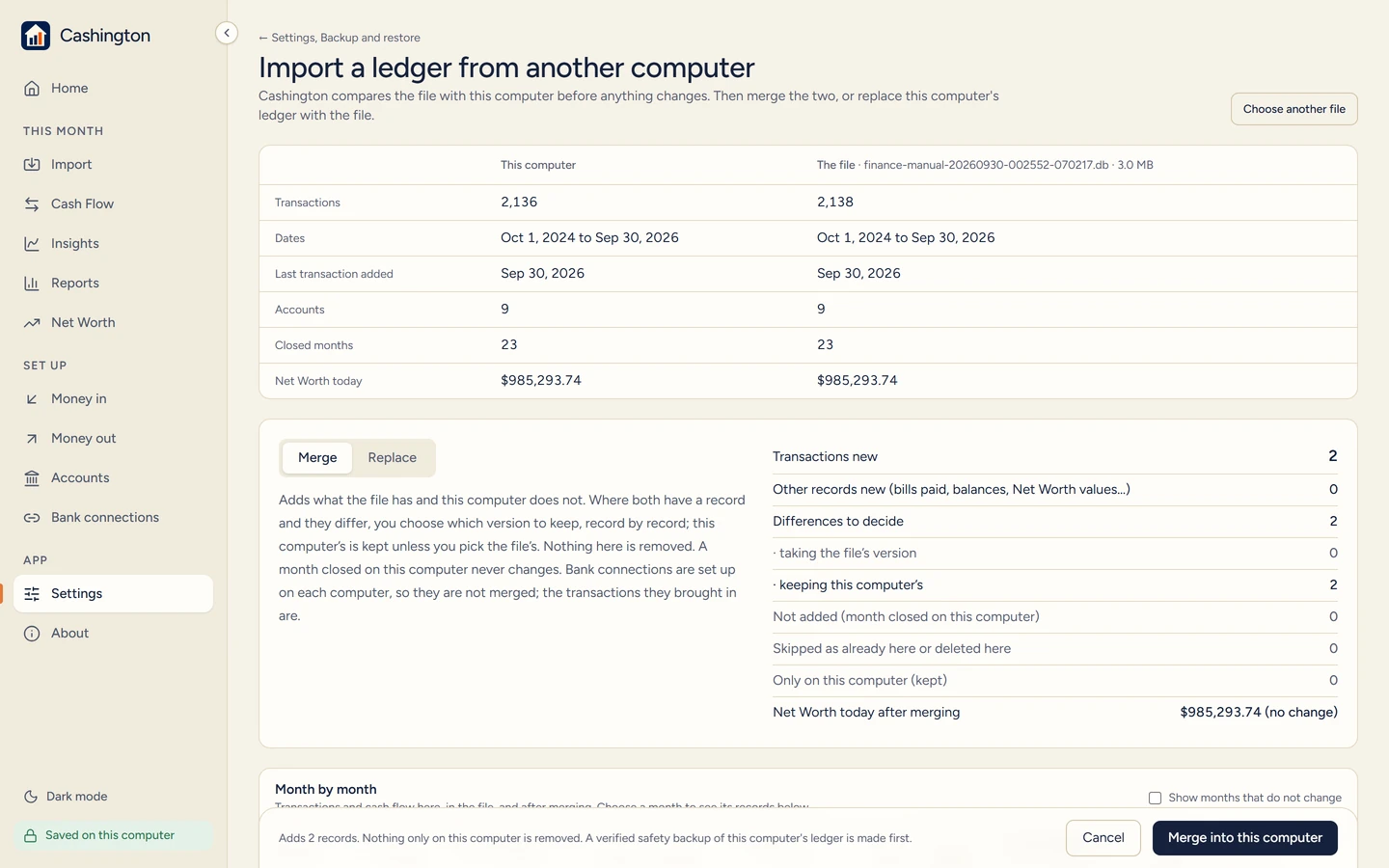
Import the CSV statements your bank and card already give you, every row shown before anything is saved, or turn on an optional bank connection through your own SimpleFIN or Plaid account. Rules file each payee the same way every month; splits, transfers between your accounts and one-offs each land where they belong.
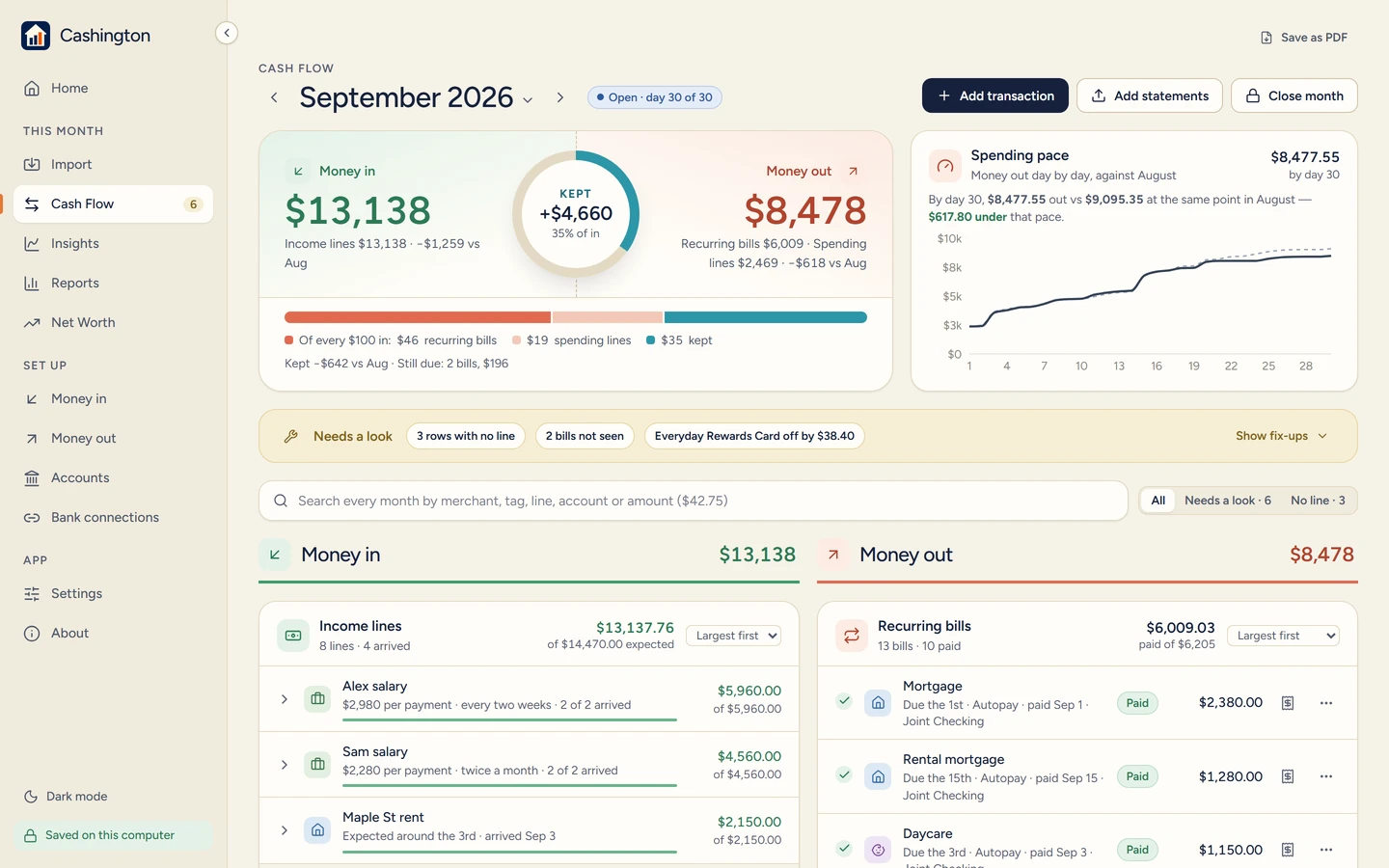
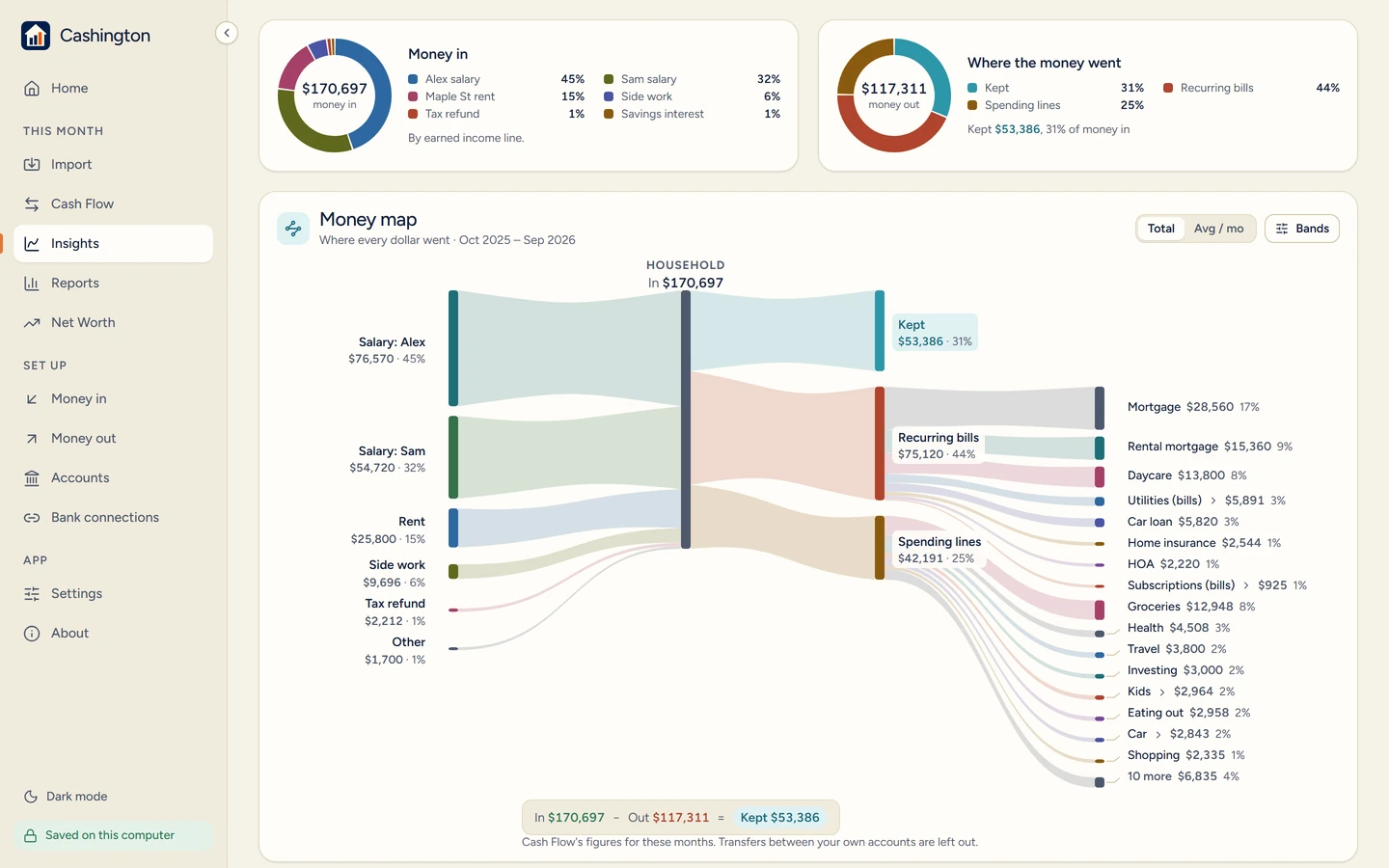
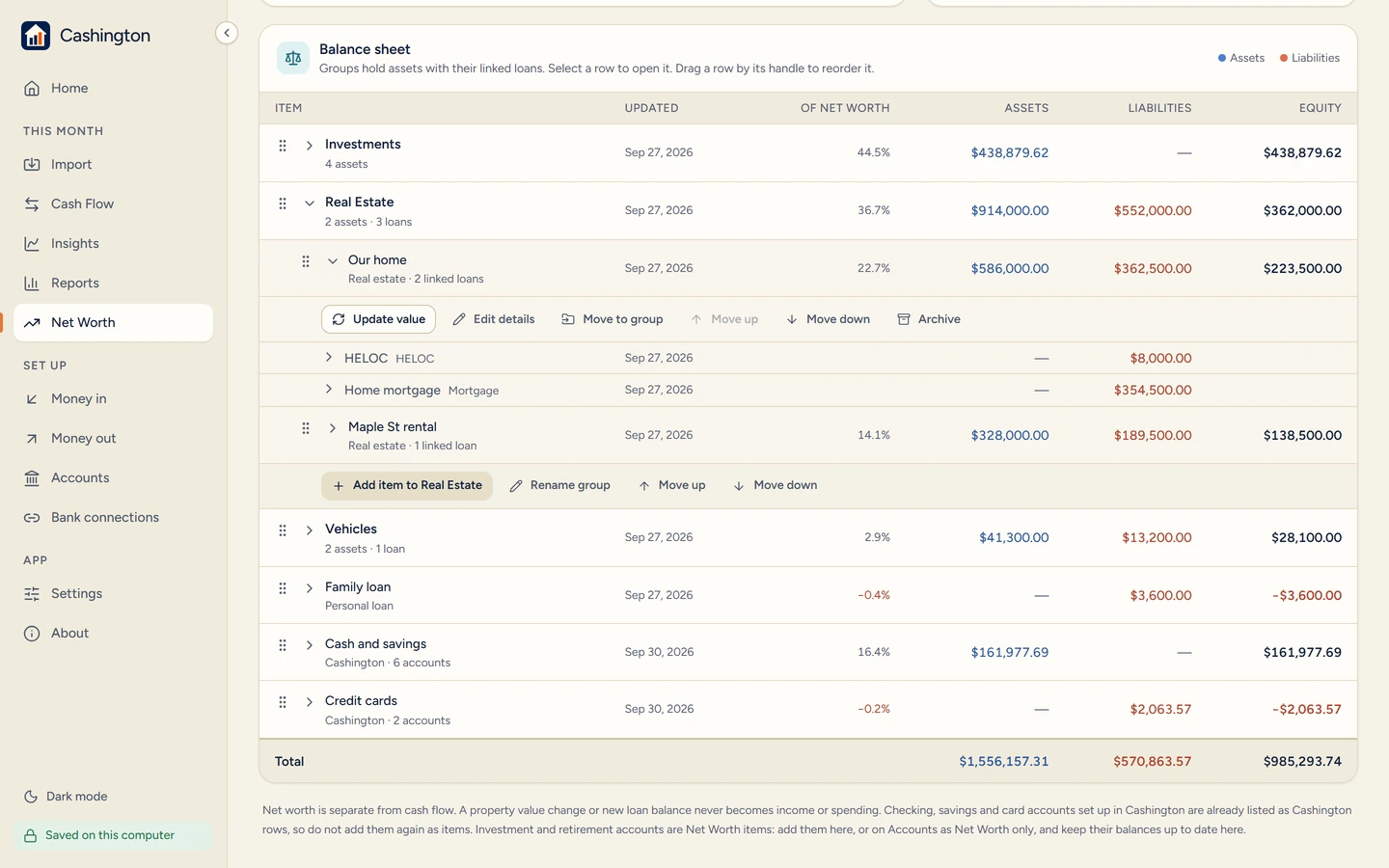
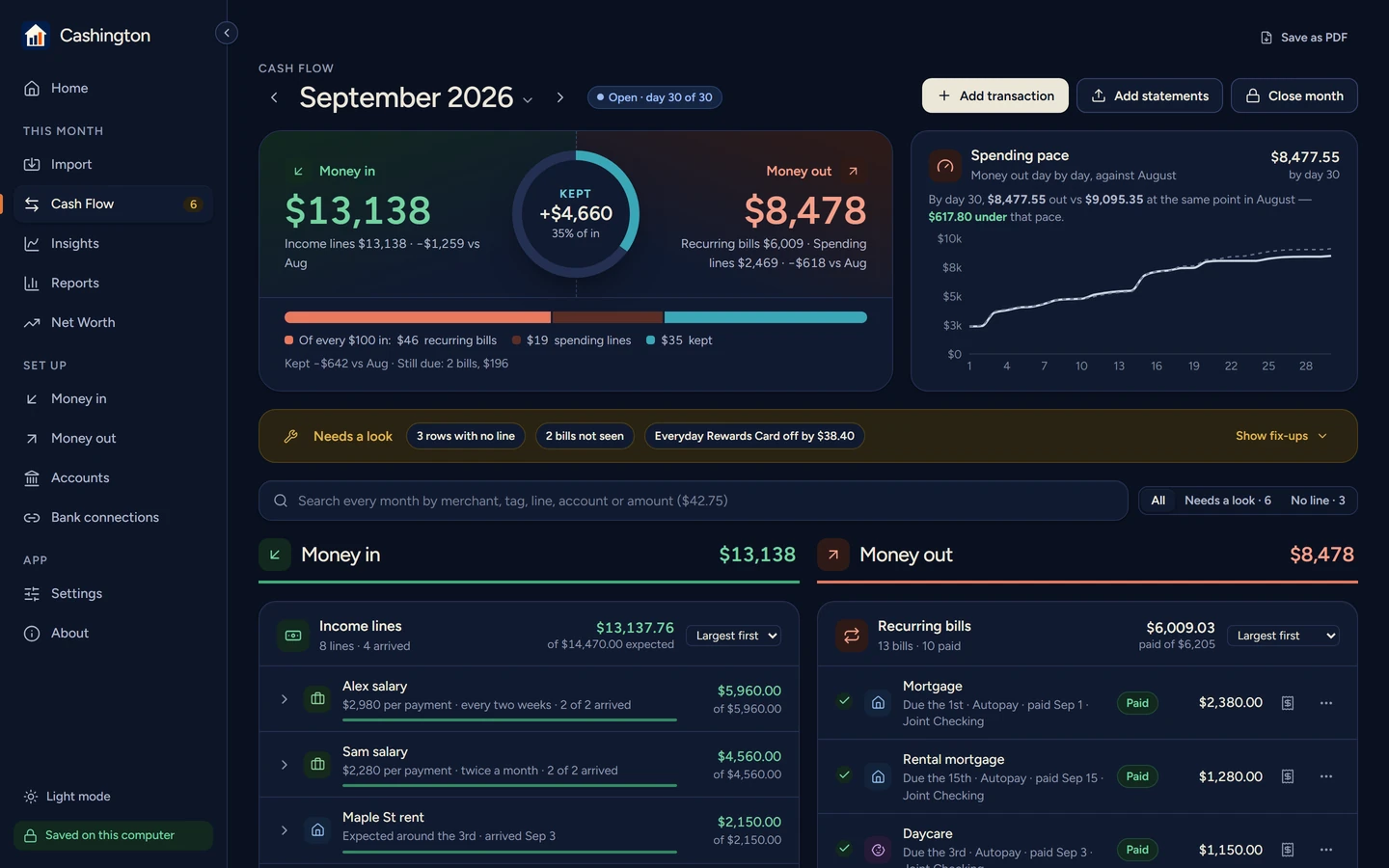
Cash Flow lays each month out like a ledger: money in, money out and what you kept, with recurring bills, income lines and spending lines in the order you choose. A balance check against your statements tells you the month adds up before you close it. Insights, Reports and Net Worth show the years behind it, and any of them saves as a PDF for your records or your accountant.
The stance
Your books, on your computer
Local-first by design. There is no account and no Cashington server: the ledger, the statements and the verified daily backups stay on your computer, and the app sends nothing about you anywhere. Bank connections go straight from your computer to your own provider account. Uninstalling never deletes your records; erasing them is one deliberate step.
The same app on Windows and on a Mac: signed and notarized by Apple on the Mac, and coming to the Microsoft Store on Windows. Guides, the feedback board and the version history live on cashington.app.
§ 02 — Screens, from the app (an invented household)
§ 03 — How it was built
From my own household ledger to a desktop app, one developer, one AI pair
Built on real books first
Cashington started as the ledger I kept my own household’s money in: statements in, every row filed, each month closed only when it added up. In September 2026 I turned it into a product anyone can install, with Claude Code as the pair: a React interface and a Python engine on SQLite, wrapped in Electron and frozen with PyInstaller, so the whole thing runs on the computer with nothing in the cloud. The first Windows installer came on 23 September; the first Mac build, signed with an Apple Developer ID and notarized by Apple, on the 29th; optional bank connections through the user’s own SimpleFIN or Plaid account on the 30th. Version 0.2.4, on 3 October, followed a full review of the code and the first weeks of using it on my own books: statements and bank feeds that never double-count a purchase, and Cash Flow in the order you choose. A second full review, a new logo and one typeface came in 0.2.5 to 0.2.7; version 0.2.8, on 13 October, added Save as PDF on every main page and an Insights page that opens with where the money came from and where it went. The product site, cashington.app, runs on Cloudflare with a 90-second tour, step-by-step guides, a public feedback board and a running What’s new.
§ 04 · Try it
Coming soon to Windows and Mac
Everything else is on cashington.app
The tour, the guides, the feedback board, the version history and the waitlist all live on the product site. If you keep your household’s books on a computer, start there.